
Home / On-premise and security
On-premise

Facility management that runs on your own servers

Your building plans, where your people sit, your meetings, your visitor log — a precise map of your organization from the inside. That is not data to park in a third party's cloud. OfficeUP installs inside your estate, so it stays in a database you own and we have no access to.

Where the risk sits

A facility system knows more about your organization than you think

Which is exactly why where it is stored matters. Add up what a system like this holds and it is clear why its data is classified as sensitive.

Building plans

Floor layouts, room positions, exits and assembly points. In many organizations these are documents that require security clearance.

Org structure and seating

Who works where, who reports to whom, who sits next to whom. A complete picture, and exactly what targeted phishing and social engineering run on.

Meetings and visitors

Who met whom and when, and which delegation visited which department. A trail that reveals deals and partnerships before they are announced.

Evacuation plans and presence

Who is in the building right now and on which floor. Sensitive operational data with no business being outside your estate.

What "yours" means

No copy on our side, and no control panel for us

"On-premise" is a word many vendors use while meaning a private cloud they operate themselves. Here it means the literal thing: the system files and its database sit on a server you choose, administered by your technical team, with your accounts and your keys.
  • No mandatory connection to our servers to run, and no periodic licence call-home.
  • No analytics or telemetry sent about you to anyone.
  • Support access happens only at your request, in a window you open and close.
  • If our contract ends, the system keeps running on your estate and your data stays in your hands.
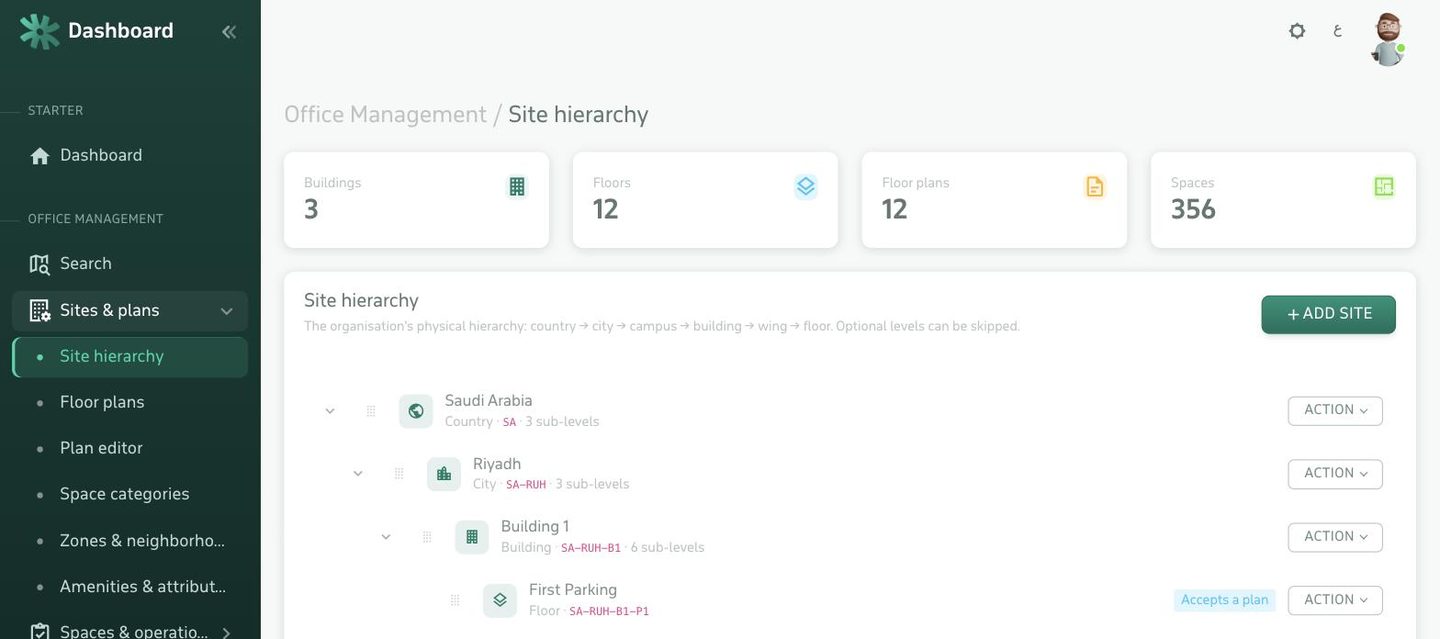
Site tree and building plans inside a system running on the organization's own server
What the security team asks about

The controls built into the system

On-premise hosting puts the system inside your governance boundary; these controls make it auditable within that boundary.

Least privilege

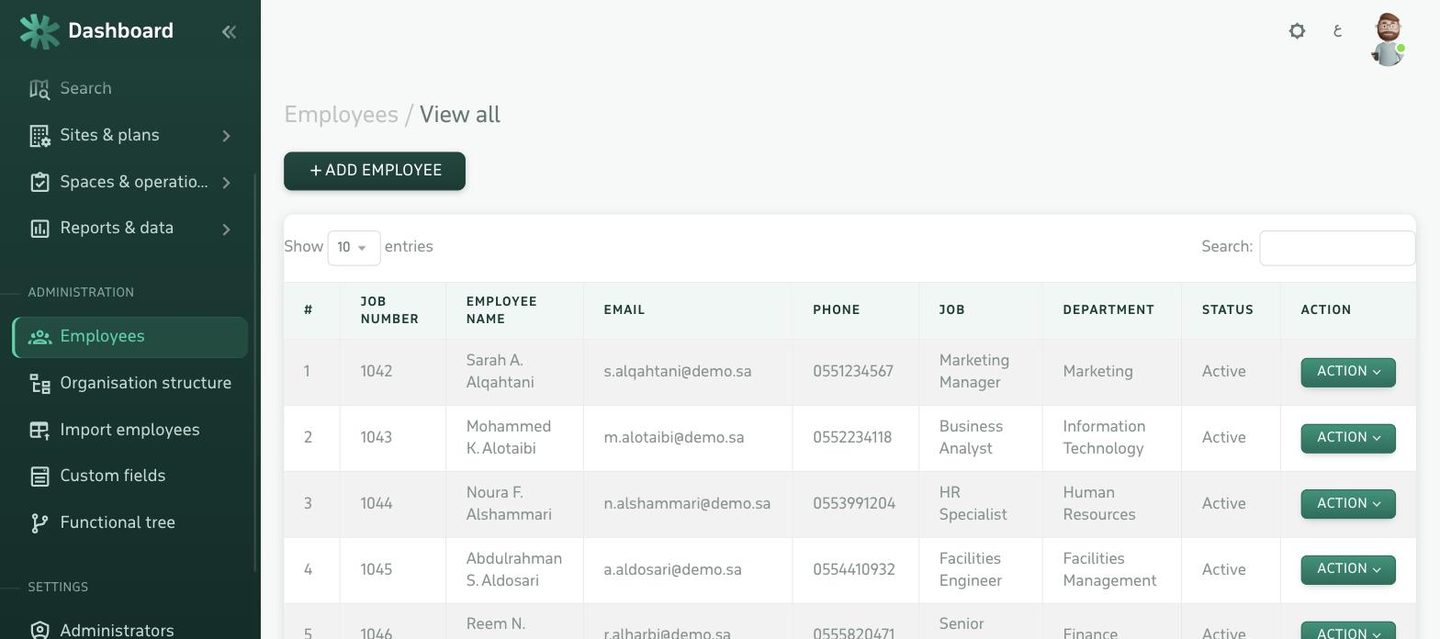
Roles and permissions at the level of each module and action, not just "admin" and "user". And every administrator carries a site scope: their own locations only.

An audit log that cannot be deleted

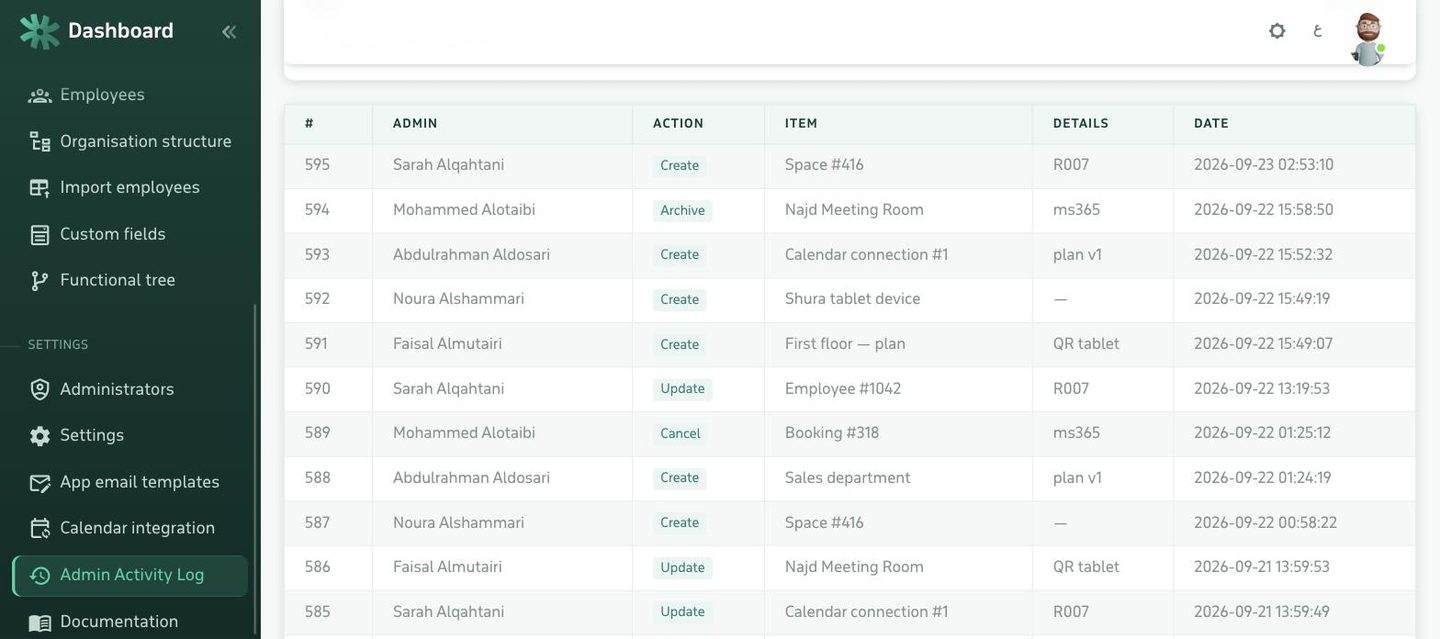
Every sensitive action recorded with the actor, the time and the network address: who changed a permission, who opened a visitor log, who exported a report.

Sign-in with no new passwords

Employees sign in with a one-time code sent to their work email, or through SSO bound to your directory — so there is no extra password to leak.

Request hardening

CSRF tokens on every action, prepared statements against SQL injection, every input escaped before output, and plan files served through a gateway that checks permission rather than as open files.

Backups on your side

A database and a files directory — backed up with your tooling, your schedule and your retention policy. We hold no access from which to take a copy.

Modules that switch off

What you do not need does not run: disable a module in the licence and both its pages and its API endpoints disappear — a real reduction in attack surface.

Running it

Modest requirements, and no vendor lock-in

The system is PHP with MySQL or MariaDB. It runs on Linux and Windows Server, needs no special hardware, no commercial database licence and no particular cloud service. Any server you already administer will do.
  • PHP 8.1 or later, MySQL 8 or MariaDB 10.5 or later.
  • Runs behind your own reverse proxy and TLS certificate.
  • Email through your own SMTP server if you want messages to stay internal.
  • Updates as a file package with release notes, in the maintenance window you choose.
Audit log: every sensitive action with its actor and time
Air-gapped networks

What needs internet, and what does not

A straight answer, because this is the first question any security team asks — and many systems dodge it.

Works with no internet

Admin panel, employee panel, room booking, plans and spaces, visitor management, room door tablets, signage screens, reports and export, evacuation planning.

The local network is enough

Needs internet — and is optional

Mobile push notifications, calendar integration with Microsoft 365 and Google, email through an external provider, and location maps.

Disabled with no effect on the rest

An in-network alternative

Email via internal SMTP, calendar via on-premise Exchange, and notifications in the employee panel instead of mobile push.

For estates that block egress entirely
0bytes leaving your network by default
100%of the data in a database you own
PHPand MySQL — no vendor lock-in
Plainly

What we provide, and what stays with you

We will not claim that buying a system makes your organization compliant. Cybersecurity and data-protection compliance are policy, process and review — not a product you purchase. What we offer is that the system does not stand in the way: it sits inside your governance boundary and gives your team the tools an audit needs.
  • On us: in-product controls, technical documentation, security updates, and support for installation and audit.
  • On you: server hardening, encryption, identity management, backup, monitoring and retention policy.
  • And we welcome penetration testing against an instance on your estate before go-live — we fix what it finds.
Permissions, roles and the site scope carried by each administrator
FAQ

What technical and security teams ask

Where exactly is our data stored?
In a MySQL or MariaDB database on a server you choose: a machine in your own data centre, or a virtual server with your provider inside the Kingdom. We hold no copy, we have no control panel over your data, and nothing is sent to any third party.
Does it run inside an air-gapped network with no internet?
Yes. The admin panel, the employee panel, the room door tablets and the signage screens all work on the local network. Internet is required only for optional features: mobile push notifications, cloud calendar integration, and outbound email through an external provider — all of which can be turned off with no effect on the rest of the system.
What are the system requirements?
A web server running PHP 8.1 or later, MySQL 8 or MariaDB 10.5 or later, and enough disk for floor plans and attachments. It runs on Linux and Windows Server, needs no special hardware and no commercial database licence.
How does this serve our cybersecurity requirements?
By placing the system inside your governance boundary: encryption, backup, identity management, patching and monitoring all run under your existing policies and tooling rather than an external provider's. The system supplies what an audit needs: granular roles and permissions, a site scope per administrator, and an audit log that cannot be deleted. Responsibility for applying the controls remains with the organization and its technical team.
What about the Saudi Personal Data Protection Law?
The system processes personal data: employees and visitors. Installed on your estate, you are the sole controller with no external processor, and setting the purpose, retention period, access and deletion rights becomes an internal management decision. The system provides the tools — retention periods, deletion, export and an access log. The compliance itself remains the organization's responsibility.
Who handles updates and backups?
Backups are yours, with your own tooling — and that is deliberate: we have no access to your data to take a copy of it. Updates reach you as a file package with release notes, applied in the maintenance window you choose, and we assist with applying them on request.
Do you offer hosting for organizations that do not want to run a server?
Yes — managed hosting is an optional add-on to any plan, on a dedicated server inside the Kingdom. But installing on your own estate remains the default. See the pricing page.
Can it connect to SSO and our HR system?
Yes, on the Platinum plan: single sign-on and synchronisation of employees and org structure from your HR system, so people are not managed in two places.
Next step

Put it in front of your security team

We provide a trial instance installed on your own server for thirty days, along with architecture, permissions and data-flow documentation — for your team to review before any commitment.