
Booked and empty
The meeting was cancelled but the booking was not, so the best room sits locked on paper for two hours with nobody in it.
Every room in one place: employees book from their phone or from the tablet on the door, everyone can see what is free right now, and a room nobody turns up to is released automatically. Installed on your own server, so your meeting data stays with you.
None of them are technical. They all come from the same place: bookings living in people's heads, in a spreadsheet, or in a calendar nobody can see.
The meeting was cancelled but the booking was not, so the best room sits locked on paper for two hours with nobody in it.
Two teams standing at the same door at the same time, and it gets settled by who arrived first or who outranks whom.
A walk around the floor or a message in a group chat, because nobody knows what is available right now or where.
"We need more rooms" — how many? on which floor? at what time of day? No data answers that.
The employee panel in the browser, the mobile app, or the tablet on the door. They choose the time first and see only the rooms free at that time — never a busy room they try to book and get rejected from. Conflicts simply cannot occur.
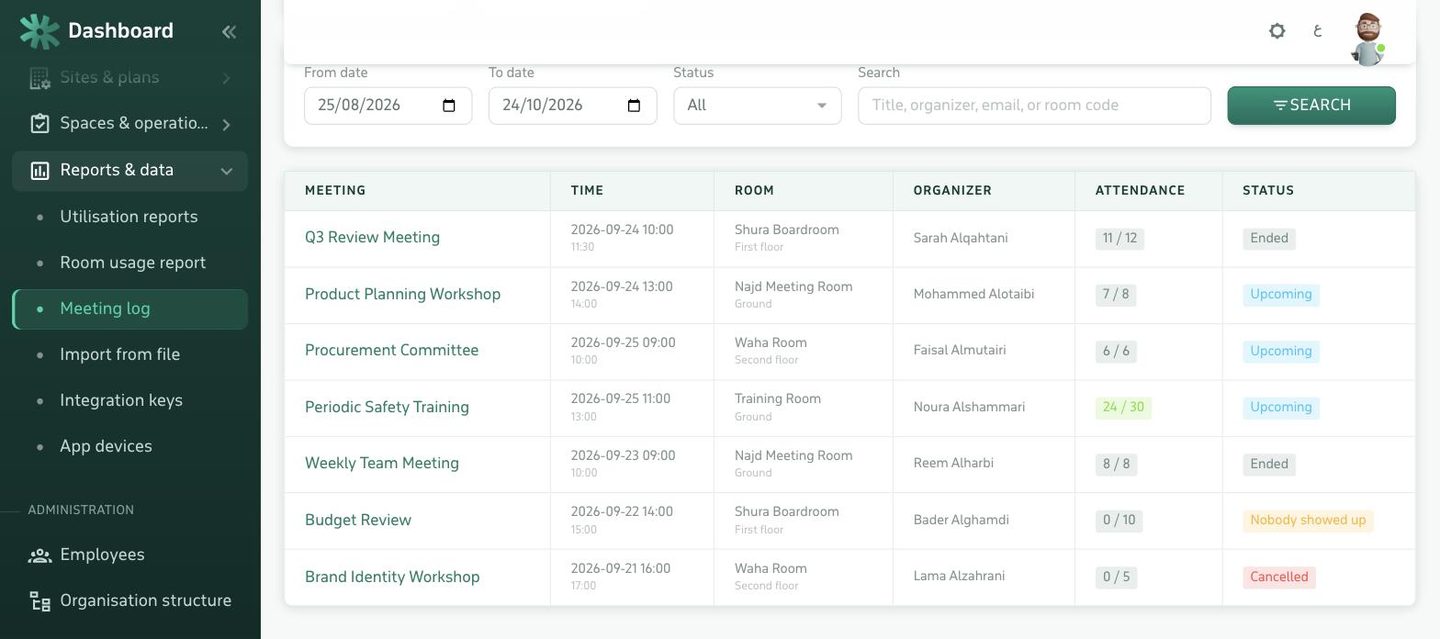
Invitees are added from the same employee directory, so they get a push notification and a calendar invitation by email. People accept or decline, and the organizer sees the real headcount before the meeting rather than after it.
Any iOS or Android tablet, running the app in room-device mode. No proprietary hardware and no extra licence per screen within your plan's limit.
Green for free, red for busy, with the current meeting, when it ends, and what is next.
Found it free — take it for fifteen minutes or half an hour with one tap, and the booking appears everywhere at once.
An attendee scans their code at the door and the meeting is confirmed. If nobody checks in within the grace period, the room is released.
The fastest way to kill a booking system is to ask people to book somewhere other than their own calendar. Here the integration runs both ways: the room is a resource in Microsoft 365, Google Workspace or Exchange, so what is booked there shows up here and on the door, and what is booked here arrives in the employee's calendar as a normal invitation.
Maximum booking length, how far ahead bookings are allowed, who may book the large rooms, and the working hours outside which booking is blocked.
Per room or per siteSome rooms book directly; others go through an approver — the boardroom, say — with a notification to the approver and a record of the decision.
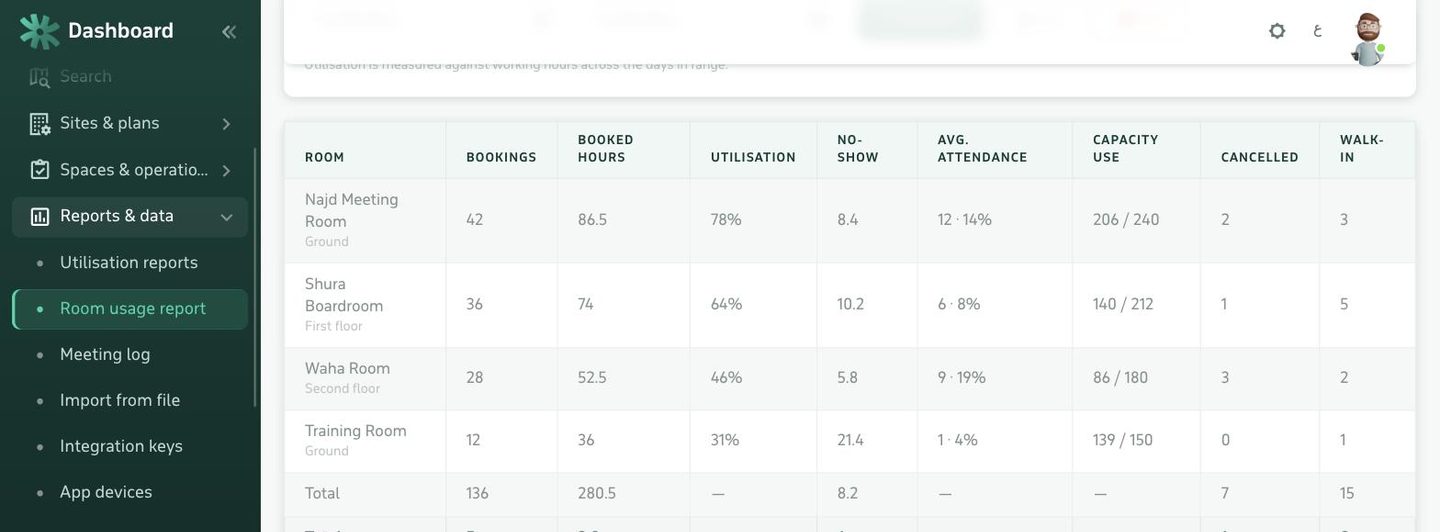
Optional per roomUsage hours per room, the busiest times of day, and the rooms nobody uses — so you know where to add and where to cut.
PDF and CSV exportBookings nobody attended: how many hours were lost, in which room, and who booked them — the clearest argument for turning on check-in.
Weekly indicatorEach administrator sees only their own sites: the Riyadh branch manager neither sees nor edits the Jeddah rooms.
Site scope per adminEvery creation, change and cancellation recorded with who and when — the reference whenever a booking is disputed.
Cannot be deletedNothing has to be perfect on day one: we start with your rooms as they are.
The system is installed on your server, and branding, language and email templates are set.
Rooms are added with their capacity, equipment and floor — manually or imported from a file.
Employees are imported, and booking policies, approvals and each admin's scope are configured.
Door tablets are connected, the app and employee panel go live, and we stay close through the first month.
Send us one floor plan and the list of its rooms, and we will show you the system with your own building in it — not a canned demo of someone else's data.