
Home / Desk booking and hybrid work
Hot desking

Desk Booking System

A team that comes in three days a week, not five. Employees pick their desk on the floor plan, declare the days they will be in, and a desk nobody turns up to is released — so management learns how many desks it actually needs, not how many employees it has.

Why this system

An office built for five days, used for three

Hybrid work did not reduce headcount — it ended the link between headcount and desk count. Most organizations are still paying rent on the old link.

A floor that is half empty

A desk per employee, and half of them at home on any given day. You pay rent and cooling on all of it.

Came in and found nowhere to sit

While the floor above has ten free desks — but nobody knows that without walking up to look.

An in-person meeting with half the team away

Tuesday was chosen, and then it turned out three of five work remotely that day.

A property decision with no data

"Should we give up a floor?" is a multi-million question, and it is usually answered by impression rather than a measured occupancy rate.

Booking

A desk chosen on the map, not from a dropdown

Nobody knows their desk is called SA-RUH-B1-F2-D14, but everyone knows they want to sit by the window next to their team. So they open the floor plan, see what is free on the day they picked, and tap.
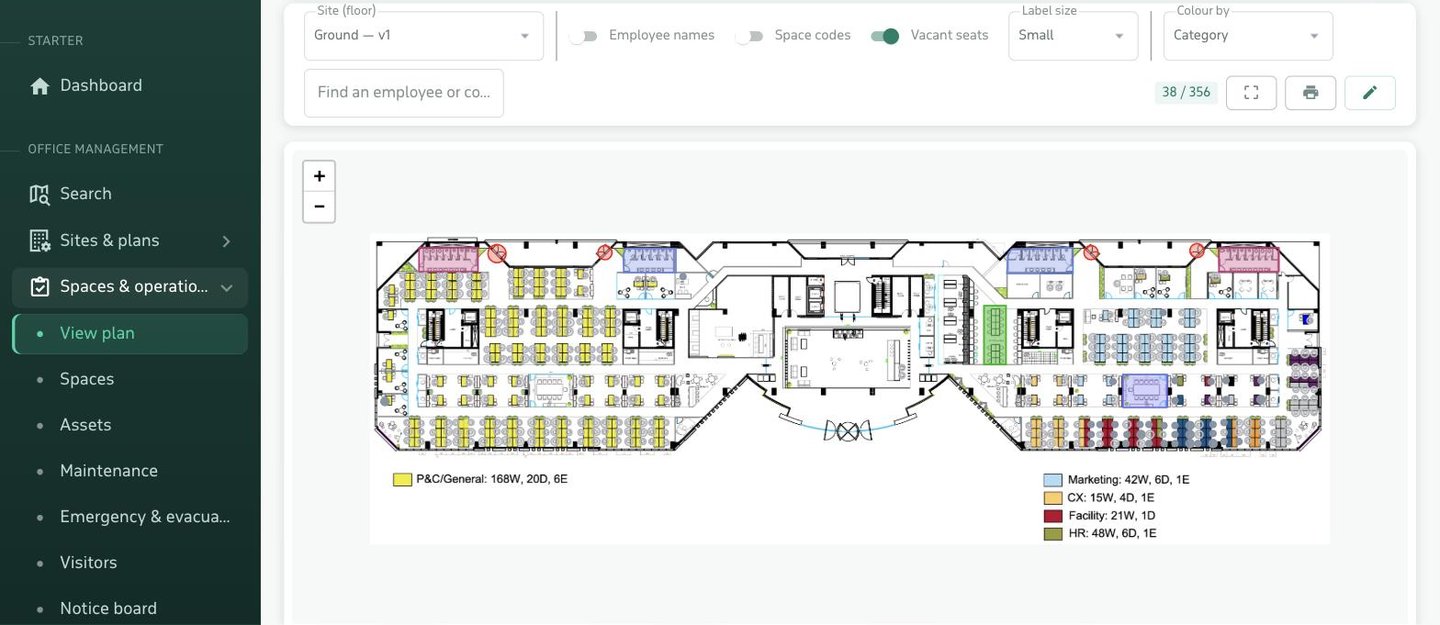
  • Permanently assigned desks never show as bookable — nobody takes a colleague's fixed seat.
  • Zones close: a floor under maintenance is shut and nothing in it can be booked.
  • Booking is by the day, within the working hours the organization sets — not scattered hours.
  • "Where is my colleague sitting today?" is answered by search in the app.
Booking a hot desk by tapping the seat on the interactive floor plan
Controls

Three settings that keep it from turning into chaos

Hot desking fails when booking is left unbounded. These three are the difference between a system that works and one abandoned after a month.

Release the desk nobody used

Check-in is required, and anyone who has not checked in within the grace period — two hours by default — has their desk released back into the pool the same day.

The most important setting here

One desk per employee per day

The default limit is one, and the organization can change it. It stops anyone holding a second desk "just in case".

Configurable

How far ahead bookings run

Thirty days by default. It stops someone claiming the best desk for the next six months on day one.

Configurable
Hybrid work

Office days: who is in, and when

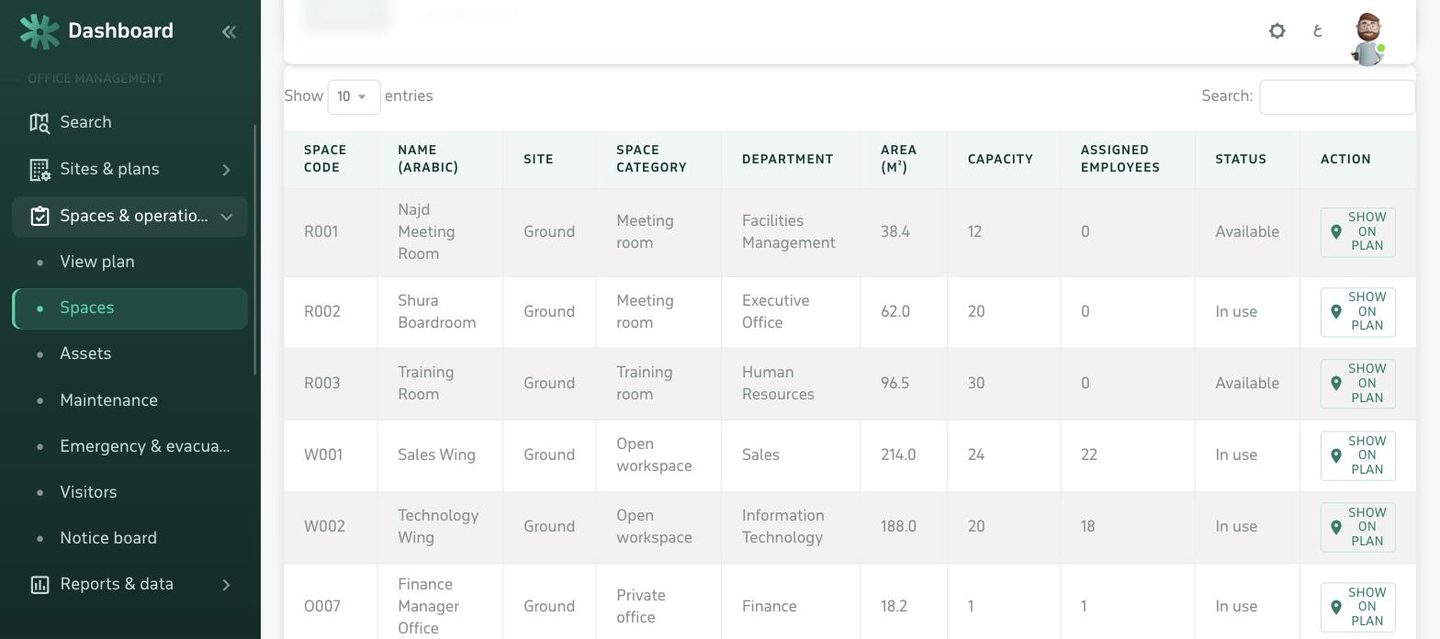
Booking a desk answers "which chair". Office days answer "which day". Employees declare their week with three states — in office, remote, or off — for as many weeks ahead as the administrator allows.
  • Teams see each other's week, so in-person meetings land on a day people are actually in.
  • The first day of the week is a setting — Sunday or Monday, depending on the branch's country.
  • Declaring a day in the office and booking a desk tie together: expected presence and the actual seat.
  • At evacuation time, the roll call knows who was expected in today.
Office days: declaring in office, remote or off for weeks ahead
Measurement

The number a property decision rests on

The most valuable thing this module produces is not employee convenience. It is a measured occupancy rate that turns "should we give up a floor?" from an impression-led discussion into a decision on twelve months of data.
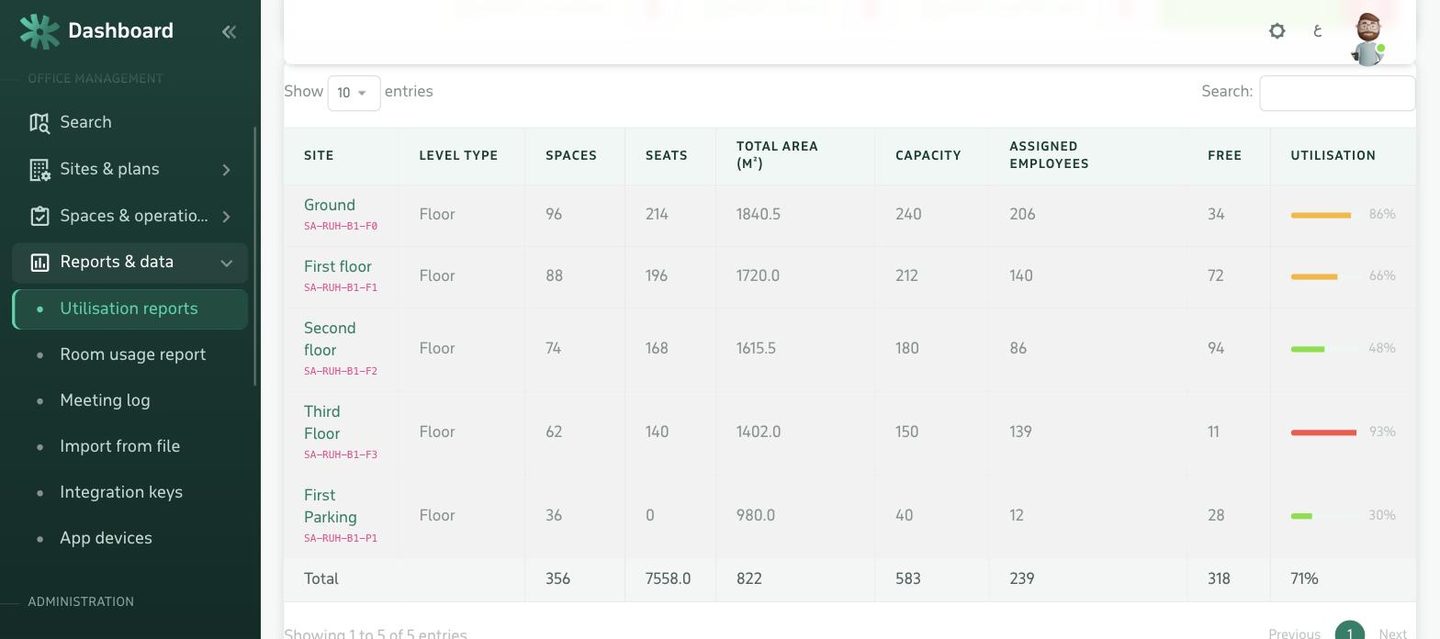
  • Occupancy per floor and building, and the busiest days of the week.
  • Desks never booked at all — candidates for removal or redistribution.
  • The gap between bookings and actual check-ins — it shows who books and does not come.
  • PDF and CSV export, for taking to finance.
Space utilisation report: desk occupancy per floor and by day of week
1desk per employee per day — by default
30days of advance booking — configurable
3office-day states: office, remote, off
FAQ

What buyers ask first

How does an employee book a desk?
They open the floor plan in the app or the employee panel, see the desks free on the day they picked, and tap the one they want. Desks permanently assigned to specific people never appear as bookable, so nobody takes a colleague's fixed seat.
How do you stop someone booking several desks or a whole month?
Two limits the organization sets: how many desks each employee may hold per day — one by default — and how many days ahead booking is allowed, thirty by default. Anyone exceeding them is refused with a clear message rather than a silent failure.
What if someone books and does not turn up?
With check-in enabled, the desk is released automatically after a grace period you set — two hours by default — and becomes available to someone else the same day. This is the single most important setting in hot desking: without it the whole floor gets booked and half of it stays empty.
What are office days, and how do they differ from booking a desk?
Booking a desk answers "which chair". Office days answer "which day". Employees declare their week — in office, remote, or off — for as many weeks ahead as you allow. The team knows who will be in on Tuesday before scheduling an in-person meeting, and management learns how many desks are actually needed.
Do we need floor plans?
For this module specifically, yes, because picking a seat on a map is the whole point. But uploading a plan does not require CAD files: an image or a PDF is enough, spaces are drawn over it inside the browser, and it is calibrated with a single reference line.
How do we find out how many desks we actually need?
From the utilisation report: desk usage per floor and building, the busiest days of the week, and the desks nobody ever books. That is the number a decision to give up a floor or redistribute it rests on, rather than an estimate.
Does it work with the room booking module?
Yes, on the same database and the same plan: an employee books their desk and their meeting room from the same screen, and both appear together in the space utilisation report.
Can we buy this module on its own?
Yes. Modules are licensed independently, and hot desking with office days is available from the Plus plan upwards.
Next step

Measure your floor before you decide

Send us one floor plan and its employee list, and we will show you the desks as your teams would see them — and where the occupancy number comes from.