
Home / Maintenance requests
Maintenance module

Maintenance Request System

An air conditioner that will not cool, a dead light, a door that will not close — a ticket from an employee's phone with the location pinned on the floor plan, assigned to a technician and tracked until it is done. And at the end of the month you know which room is draining you.

Why this system

The ticket that lives in a group chat

Most organizations are not short of technicians — they are short of a path for the request. When the path is a message in a group, these four are inevitable.

A request lost in the messages

Said in a group with forty other messages, so it scrolled past and nobody saw it. It gets repeated a week later, in a sharper tone.

"Which room?"

"The AC on the second floor" — which AC? The technician goes up, looks around, and comes back to ask.

Nobody knows where it stands

The reporter asks, the facility manager asks the technician, the technician says "done" — and nothing is written down.

The same fault keeps coming back

Repaired every time and never replaced, because nobody knows it is the seventh failure in the same room.

The ticket cycle

From the phone to completion, with every step written down

Raise

The employee writes a title and description, sets the location, and attaches a photo of the fault — from their panel or the app.

Assign

The facility manager sets the category, priority and due date, and assigns the ticket to a technician, who is notified.

Work

The status moves: open, in progress, done. Comments live inside the ticket rather than in side conversations.

Measure

Completion time, overdue tickets and recurring faults are collected automatically into the maintenance report.

What sets it apart

The ticket knows where it is on the plan

This is the difference between a maintenance system and a generic ticketing tool. An employee who does not know the room code taps its position on the floor plan, and the ticket binds to a real space with a full code: building, floor and room.
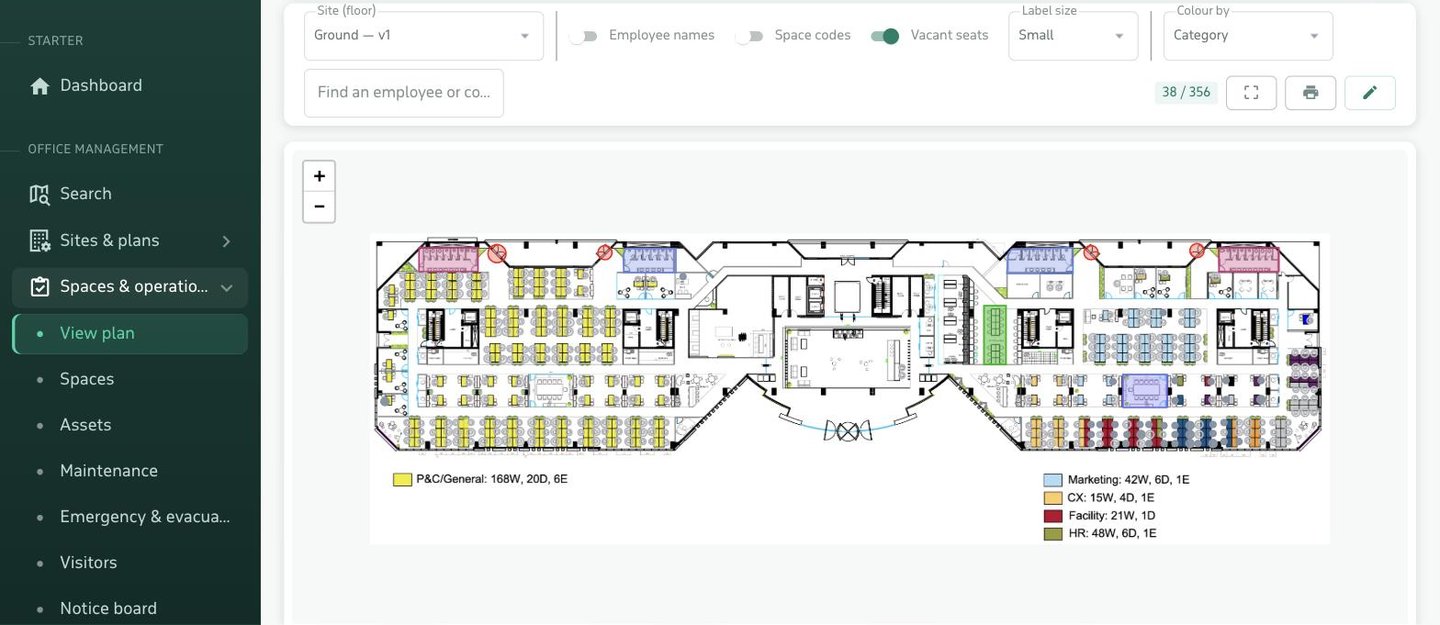
  • Pick by name if you know the place, or tap the plan if you do not.
  • The technician opens the ticket and sees the room on the map before going up.
  • And crucially: "how many times has this room failed?" becomes a question with an answer.
Pinning a maintenance ticket's location by tapping the interactive floor plan
Inside the ticket

Everything that happened, in one place

Event log

Creation, status changes, assignment, priority and due-date edits — each with who and when, and none of it deletable.

A conversation in the ticket

The technician asks and the reporter answers in the same place, so the details do not live in side messages that get lost.

Photos of the fault

One phone photo replaces a paragraph of description. Attached to the ticket and served through a gateway that checks permission, not as an open file.

Four priorities

Low, normal, high, urgent. Urgent appears at the top of the technician's list, not the bottom.

Due dates

A target for completion, and anything past it shows as overdue in the report rather than being discovered by accident.

Notified three ways

App push, an email using a template you control, and an alert in the employee panel — for the assignee and for the reporter.

The report

The number that justifies replacement

Repairing the air conditioner is cheaper than replacing it — each time taken on its own. The report is what shows that "each time" has become seven this year, and that replacing it was the cheaper option from the third failure onwards.
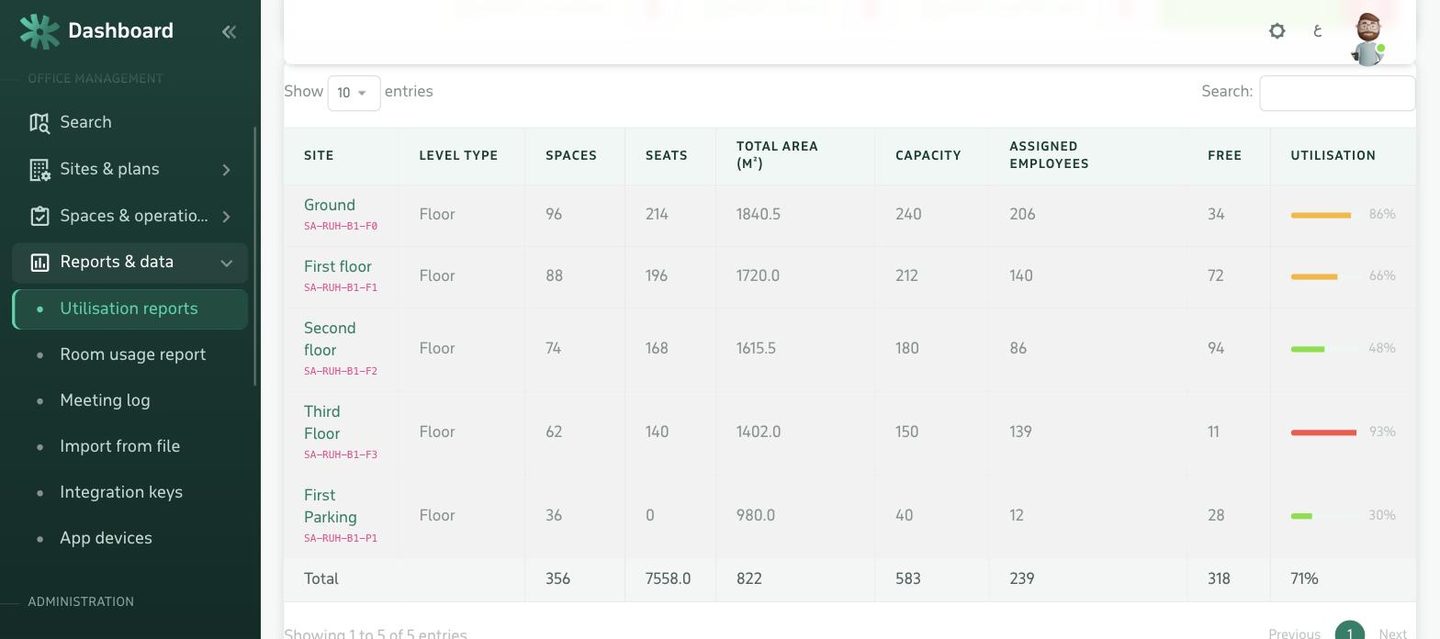
  • Period cards: total, open, completed, overdue, and average time to completion.
  • Recurring faults: the spaces that crossed a threshold you set.
  • By category: electrical, HVAC, plumbing, furniture — where your time actually goes.
  • By technician: workload and completion rate for each.
Maintenance report: recurring faults, distribution by category and by technician
4states: open, in progress, done, cancelled
3notification channels per update
0tickets lost in a group chat
Control and permissions

Who sees what

The employee

Raises their ticket and follows their own tickets only. They see neither other people's tickets nor the admin panel.

Employee panel and app

The technician and supervisor

See what is assigned to them and what falls inside their site scope: the Riyadh technician does not see Jeddah tickets.

Site scope per admin

The facility manager

Every ticket across their sites, with assignment, priorities and the report — under a permission separate from the other modules.

Independent permission
FAQ

What buyers ask first

How does an employee raise a maintenance ticket?
From the employee panel in the browser or from the mobile app. They write a title and description and set the location in one of two ways: pick it by name from the list of spaces, or tap it directly on the floor plan. A photo of the fault can be attached. No new account and no password — they sign in with a code sent to their work email.
Where does the ticket go once it is raised?
It appears immediately in the admin panel as Open, and everyone with the maintenance permission is notified. It is assigned to a technician with a priority and a due date, the assignee is notified on their app and email, and the status moves: open, in progress, done — or cancelled with a reason.
Does the person who raised it know what happened?
Yes. Every ticket carries an event log and a conversation: each status change, assignment and comment is recorded with who and when. The reporter follows it from their panel or the app and is notified on every update — no phone calls needed to chase it.
How is this different from a generic ticketing system?
Location. A ticket here is tied to a real space on a floor plan: that room, on the second floor, in that building. This is what makes the recurring-fault report possible — knowing that this specific room's air conditioning has failed seven times this year, which a ticketing system that does not know places cannot tell you.
What reports are available?
Summary cards for the period: total tickets, open, completed, overdue against their due date, and average time to completion. Plus three tables: recurring faults per space, distribution by category, and distribution by technician — with date and site filters and export.
Is the maintenance module licensed separately?
Yes, it is switched on and off on its own. When it is off, both its pages and its API endpoints disappear, so nobody is shown a menu item they cannot open. See the pricing page.
Do we need floor plans for it to work?
No. It works with location picked by name alone. But uploading plans — an image or a PDF is enough — is what unlocks tapping the location on the map and the per-room recurring-fault report.
Next step

Raise a ticket on your own floor plan

Send us one floor plan and we will walk the whole ticket cycle across it: raising, assigning, tracking and reporting.